
ROLE:
Sole designer
RESPONSIBILITIES:
End-to-end process
DURATION:
3 Months
Musea
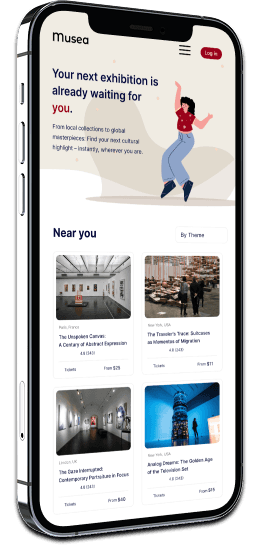
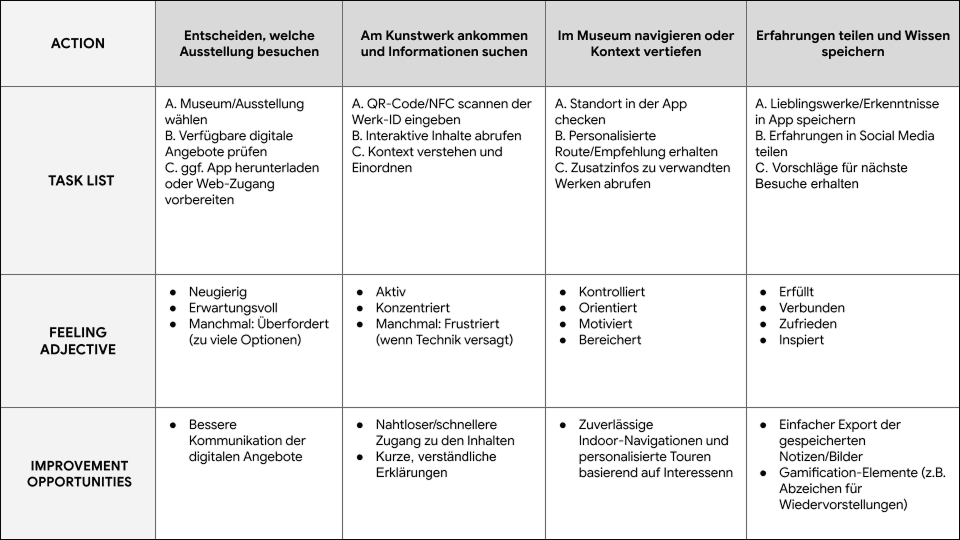
Musea enhances the museum visit by making it interactive and informative, allowing users to purchase tickets directly and access specific audio guides on-site by scanning QR codes at the exhibits for additional contextual explanations.
problem.
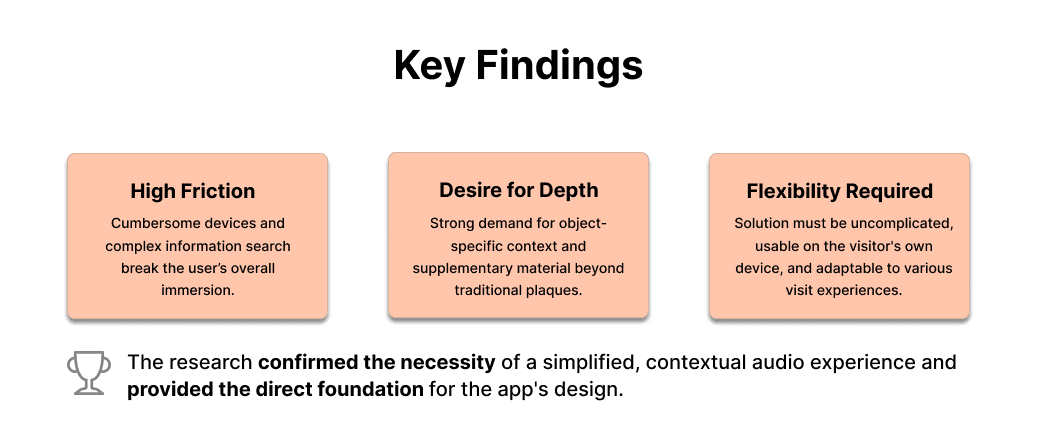
The modern museum experience is hampered by a disjointed learning process. Visitors crave deeper, object-specific context, but current methods constantly interrupt their flow. This lack of seamless, on-demand information leads to a passive and less meaningful visit.
user research & discovery.
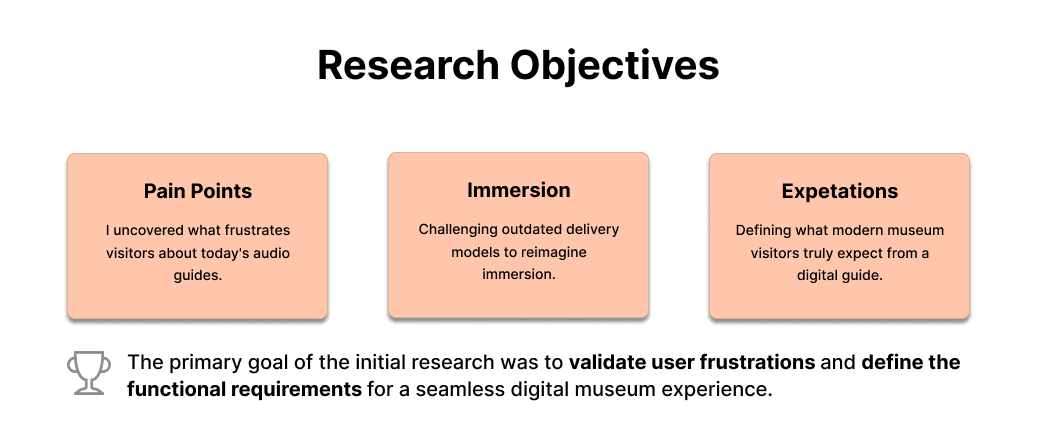
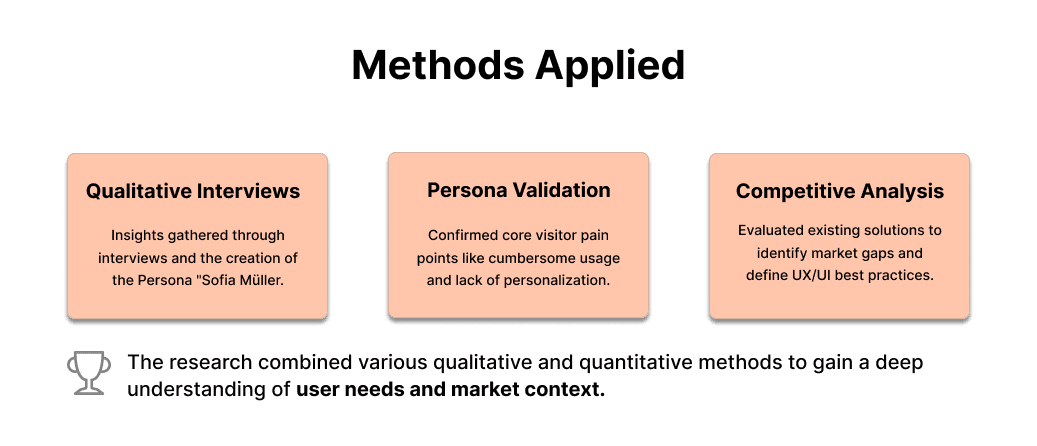
The conception of the Musea App began with a comprehensive research phase to validate the actual frustrations and unmet needs of museum visitors. The goal was to develop a digital solution that seamlessly complements and deepens the physical museum experience.
persona.
empathy map.
user journey map.
problem statement.
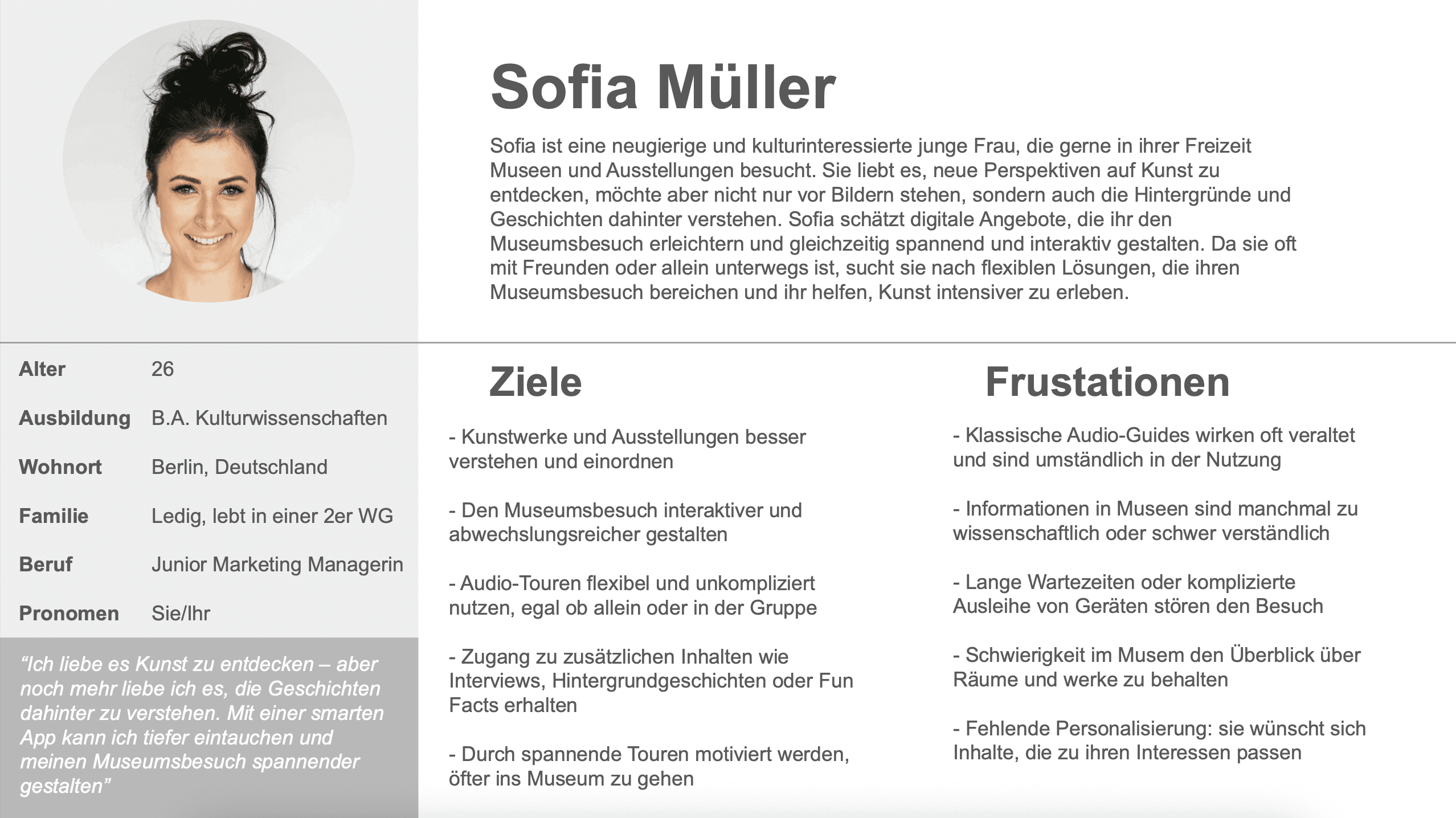
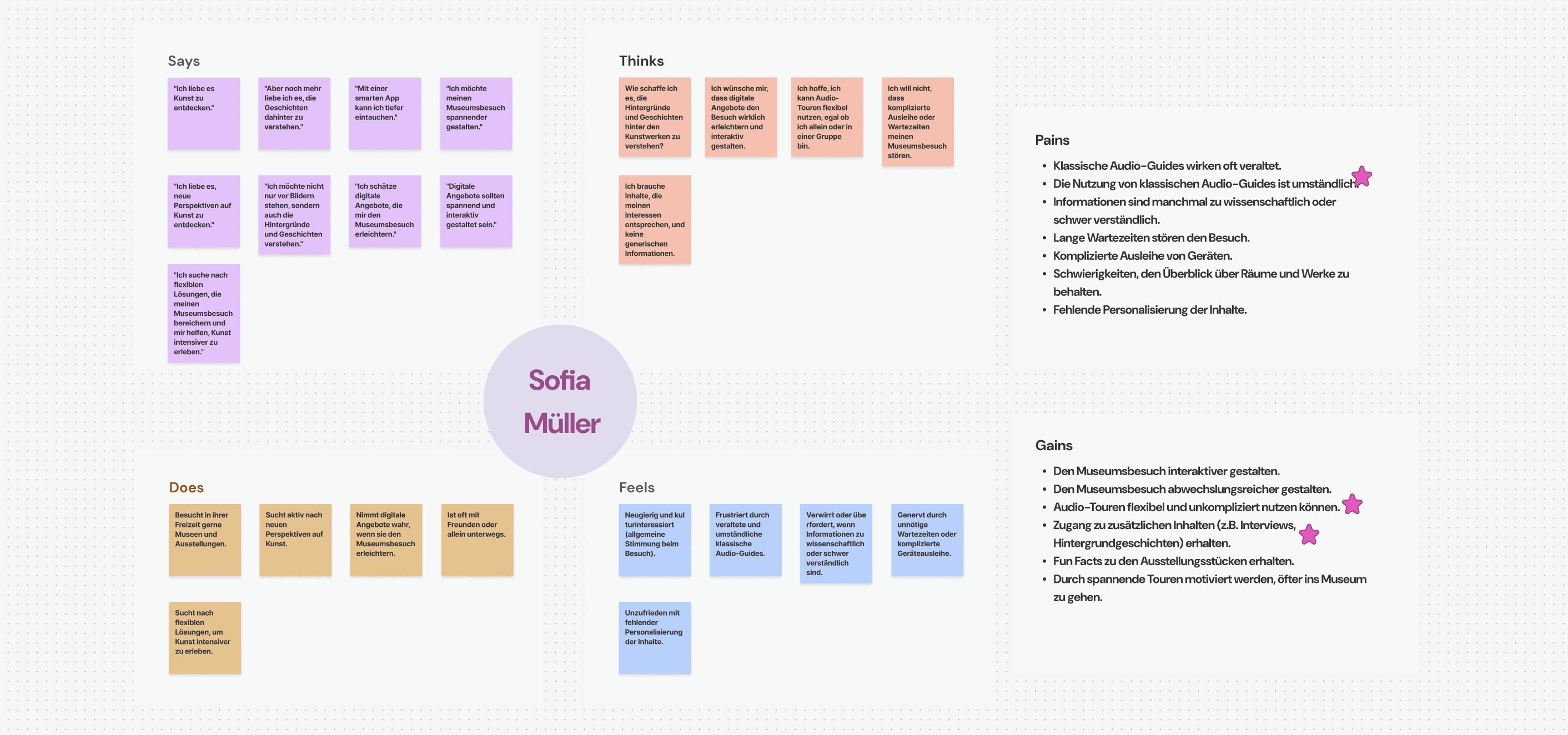
Sofia is a curious young woman interested in culture who needs flexible solutions that enhance her museum visit and help her experience art more intently because she wants to gain more knowledge at the museum.
the solution.
I will launch a contextual mobile application offering personalized discovery paths and deep-dive content, enabling curious museum visitors to flexibly enhance their art experience and gain more knowledge.
paper wireframes.
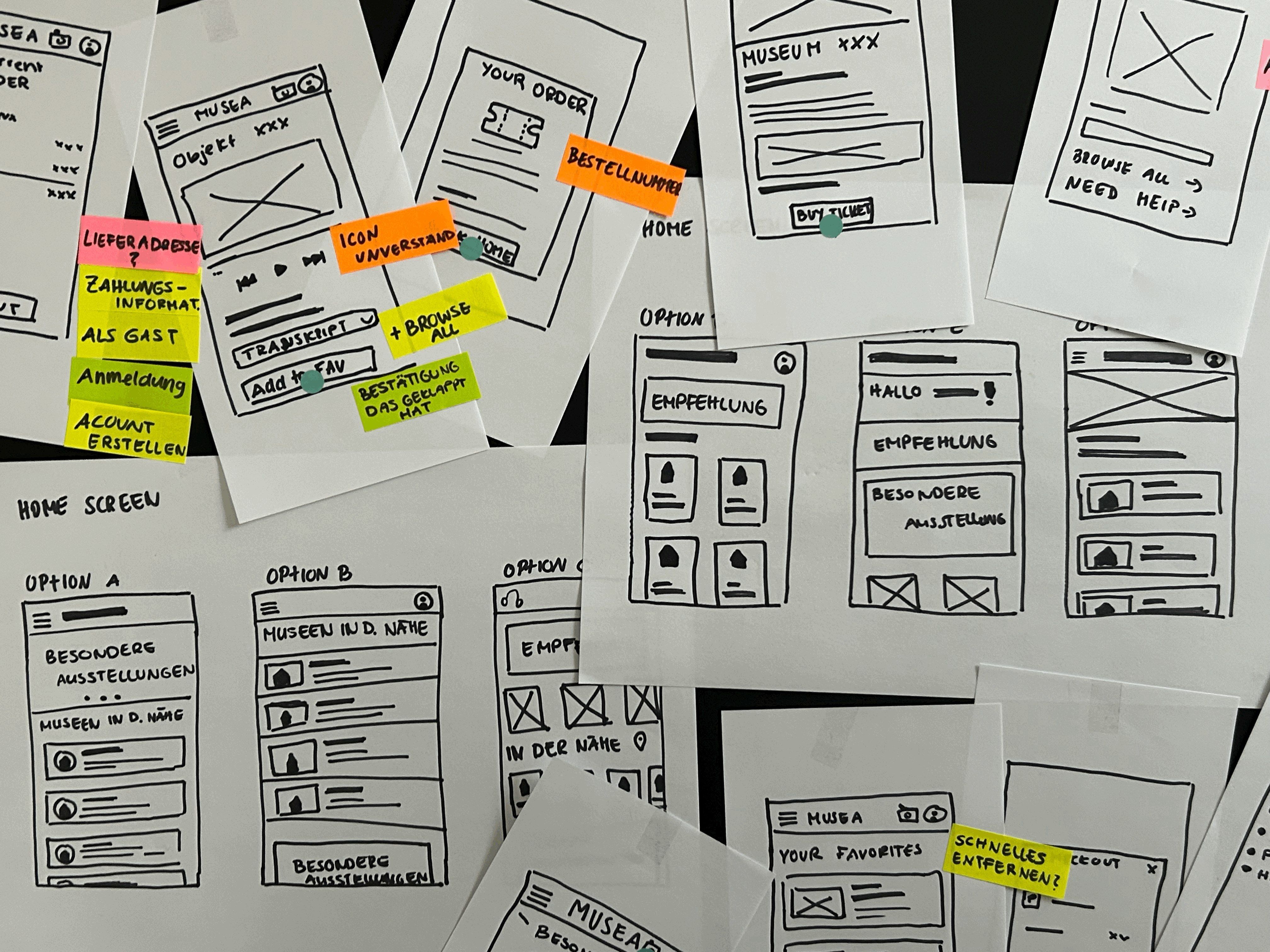
paper wireframes user test.
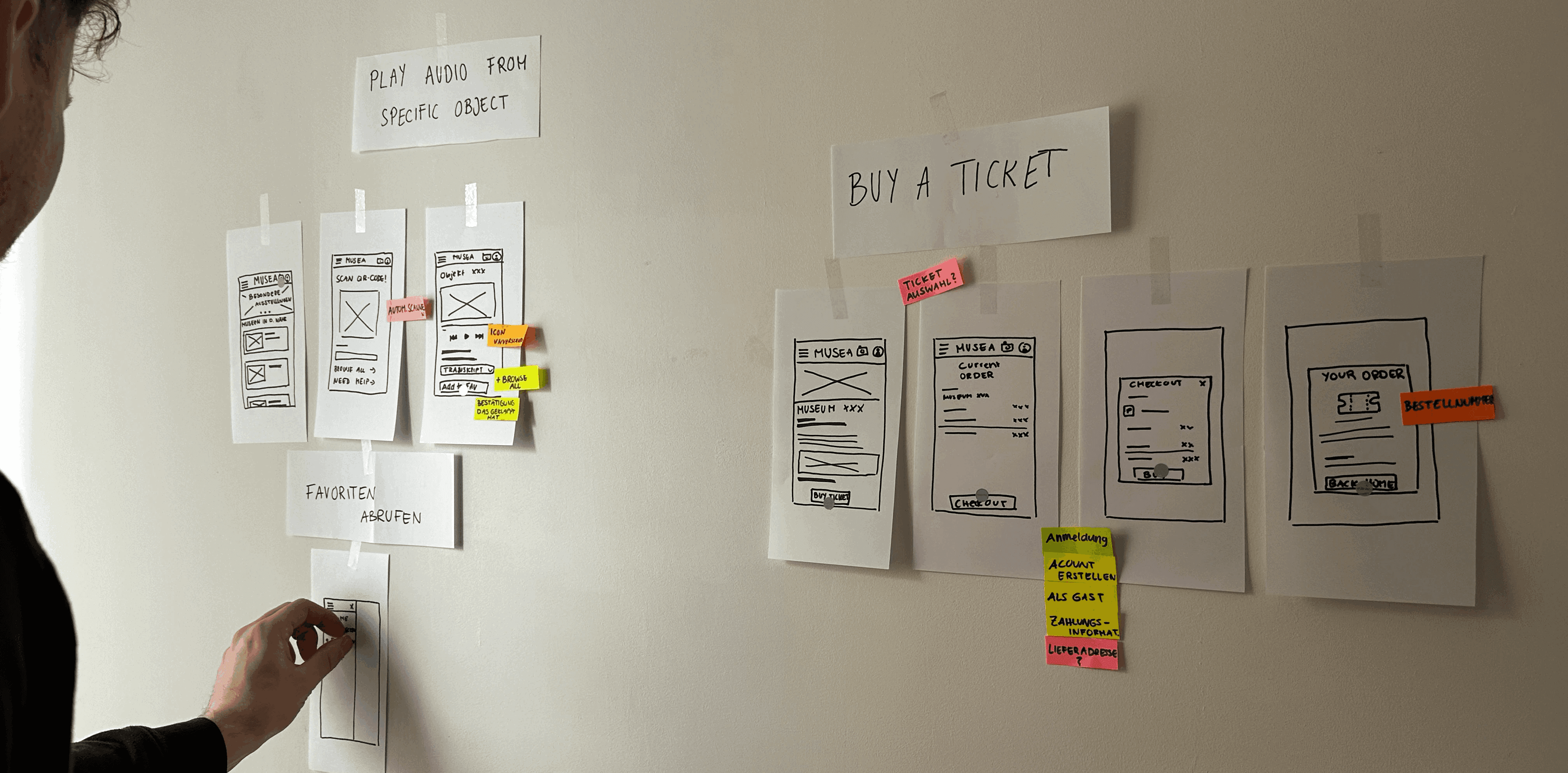
Following the initial ideation phase, Paper Wireframe Prototypes were created to quickly validate the primary user flows before committing to digital design. The focus was on testing the usability and logic of two critical task areas: The Ticket Purchase Flow and the On-Site Content Access (scanning/playing audio, saving favorites).
This low-fidelity testing approach involved users attempting core tasks on the paper prototype. Key insights were immediately gathered on potential points of friction in the checkout process and the clarity of the interaction model for accessing object-specific audio content. The feedback led to immediate iterations on the information hierarchy and simplifying the steps required to complete a transaction, ensuring a smooth and intuitive transition to the digital wireframes.
digital wireframes.
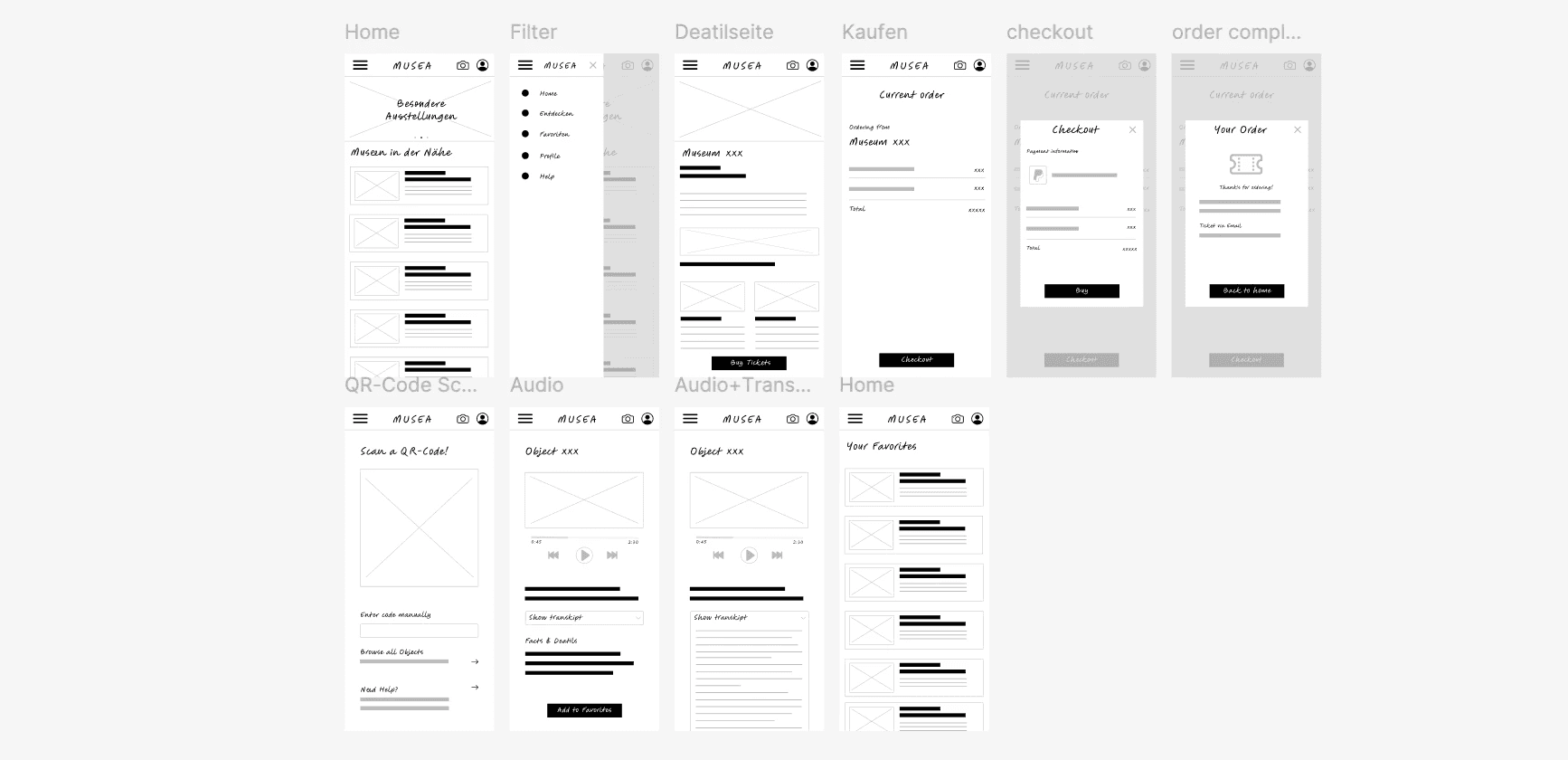
Building on the validated paper prototypes, the design progressed to digital low-fidelity wireframes. These screens defined the final structure and information hierarchy for the Musea App, including the detailed flow for ticket purchasing and the smooth integration of the QR-code scanner. This phase ensured all user needs, identified in the research, were addressed before the visual design stage.
final UI.
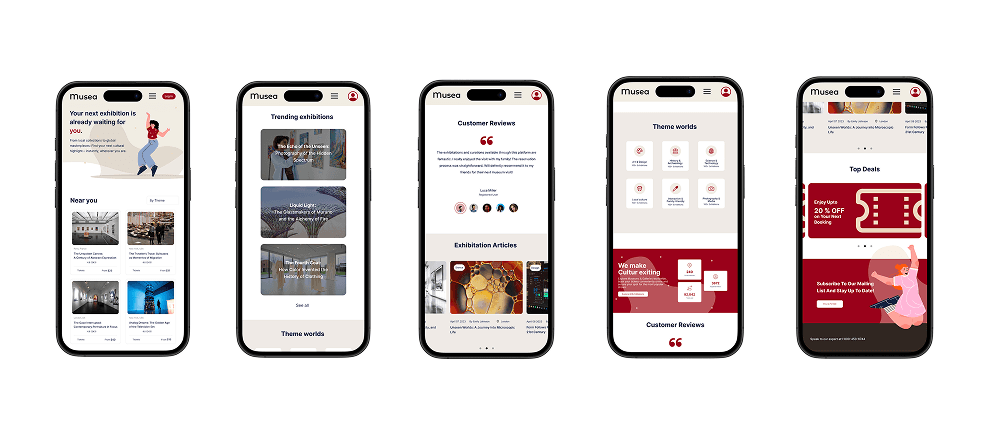
These final screens are the result of a data-driven design process. They present an intuitive and visually appealing user interface that is specifically engineered to directly eliminate the previously identified user pain points and demonstrably increase process efficiency.
Here you see the fully designed solution, which translates complexity into simplicity.
lessons.
1. Test early and often!
It's fascinating to see how users react differently to design concepts. In my initial tests, users didn't find the templates and segments helpful in reducing the overwhelming feeling of organizing - in fact, it made the task seem even more difficult. Thankfully, I discovered this early and quickly adjusted my design direction. Without this insight, I would have wasted valuable time designing an unhelpful solution. So, remember to test your designs throughout the process, particularly in the early stages.
2. The design process is iterative and non-linear.
I frequently revisited my information architecture, making adjustments or even completely overhauling it when UX issues were discovered. Similarly, there were instances where I modified UI designs, only to realize that earlier versions were more effective. Throughout the process, I relied on user interview data and quotes to inform my design decisions. I've learned that design is a cyclical process, rather than a linear one, and you never truly move on from any steps.
3. Consistency is key in UI design.
While this may seem obvious, I didn't fully appreciate its importance until I learned how extensive it can be. Consistency applies not only to using the same components and colors throughout a product but also to the finer details of its visual design. For instance, the style of icons - whether they're lines or color blocks, with accurate or exaggerated proportions; and all corners - whether they are consistently straight or rounded - all contribute to a sophisticated UI Design.
if I had more time...
Explore more reward systems to encourage users to record travel memories.
Enhance the notion of self-growth in travel memories.
Conduct a diary study among active travelers to examine the design realistically.